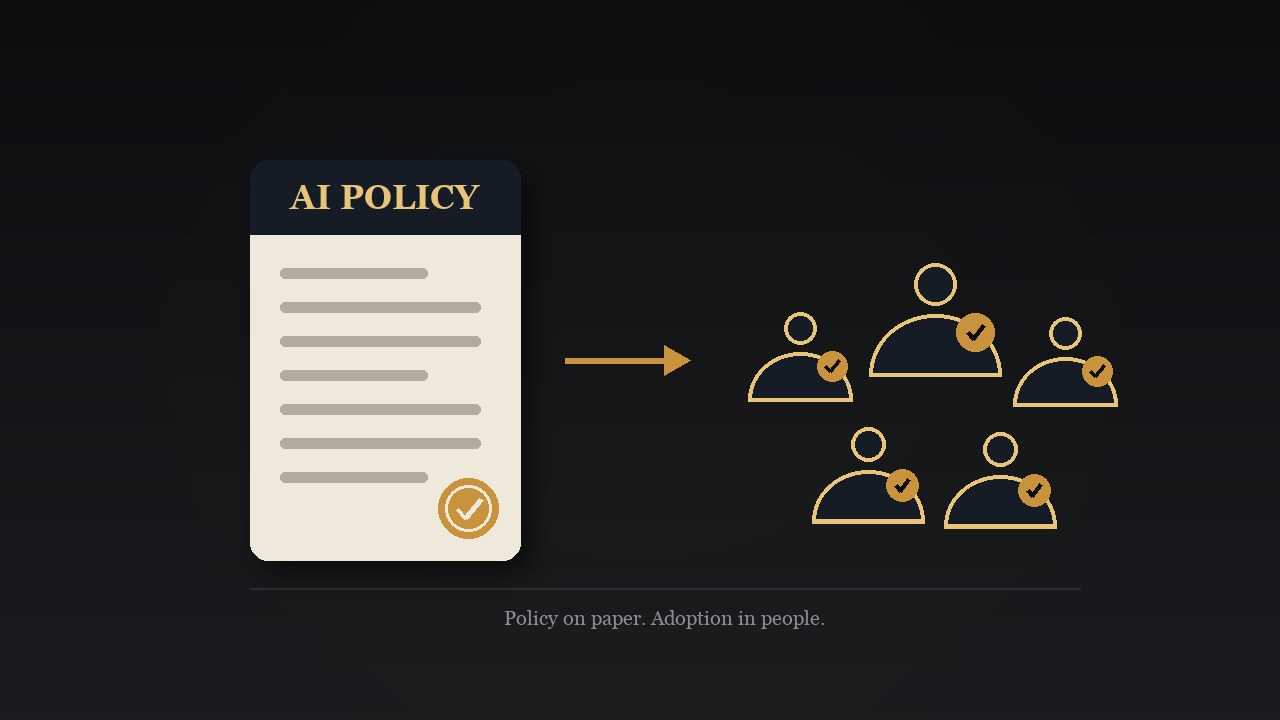
57% of the Team Had Never Opened the AI They Already Pay For
Most of the team I trained had never opened the secure, governed AI that ships free with their Microsoft 365 licence. Here is why, and how to fix it.

TL;DR
Before I train a team on Microsoft 365 Copilot, I survey them first. The last group surprised me: 57% had never opened it, even though it ships free with their business licence, runs inside the apps they use all day, and is governed to enterprise standard. At the same time, 93% told me they were worried about AI accuracy and privacy. That is the whole problem in one line. People are anxious about the wrong AI and ignoring the safe one they already own, so they reach for a consumer chatbot or for nothing at all, while the included Microsoft 365 Copilot Chat quietly kills the exact busywork they say eats their week. Here is why the tool goes unopened, and the five practical moves that finally get a team using it.
Let AI summarise and analyse this post for you:
The survey that opened the session
I ran a virtual education session for a team of knowledge workers at an organisation that handles sensitive client and community data. These are people with real obligations: expert reports, confidential files, professional and contractual duties. Before the session I sent a short pre-event survey, because I never want to guess what a room already knows.
Two numbers from that survey have stuck with me. The first: 57% of the team had never once opened Microsoft 365 Copilot. The second: 93% said they were worried about the accuracy of AI, and the same 93% were worried about the privacy and confidentiality of company data, with just over half specifically worried it would make things up.
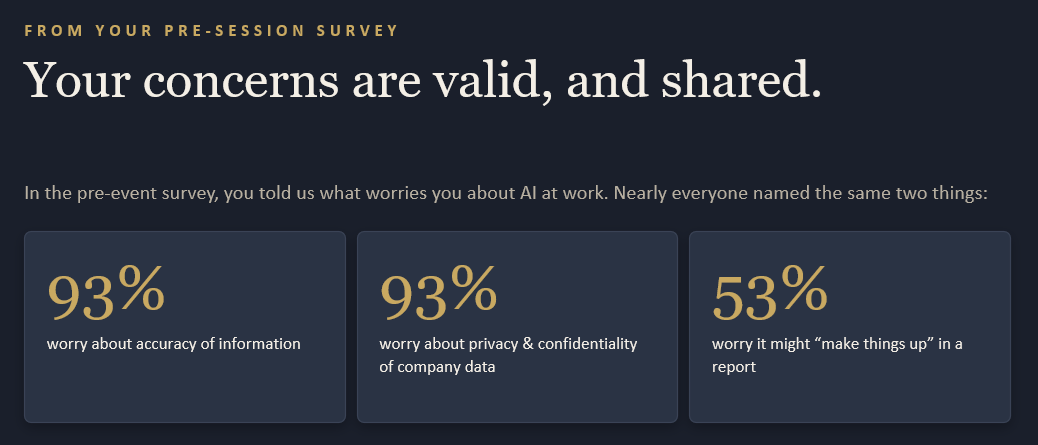
Sit with that pairing for a second. A large majority of the team is anxious about AI, which is exactly the right instinct. And a large majority has never opened the one AI tool their employer already pays for, the one built specifically to answer those worries. They are nervous about the wrong AI and ignoring the safe one.
This is not unique to one organisation. Across the workforce, 78% of people who use AI at work are bringing their own tools to the job, and that climbs to 80% at small and mid-sized companies. Read that next to the 57%, and the picture is clear: the AI is getting used, just not the governed tool the business provides, and often quietly, in the shadows, on whatever consumer chatbot someone has open in another tab.
The AI you already pay for
Here is what most of that team did not realise. Microsoft 365 Copilot Chat is included at no additional cost for anyone with an eligible Microsoft 365 business subscription. There is no new app to install, no extra spend to approve. It lives inside Outlook, Word, Excel, PowerPoint, and Teams, the apps already open on their screens.
And the privacy worry that was keeping 93% of them cautious is the very reason to use this tool rather than a free chatbot. Microsoft 365 Copilot Chat runs under what Microsoft calls Enterprise Data Protection, marked by a small green shield in the interface. Your prompts, the responses, and the data it reads through Microsoft Graph are not used to train the foundation models, and the whole experience inherits your existing permissions, sensitivity labels, and retention policies. That retention discipline is not abstract. Accountants will tell you the CRA can ask for any business record going back six years, and the cost of not having one when it does dwarfs the cost of storing it safely. Microsoft 365 Copilot can only ever see what you can already see. It works through your existing access and nothing more, and it does not reach outside your organisation's Microsoft 365 boundary.
That is the part I most wanted the room to take away. The governed tool you already own is the answer to the confidentiality worry, not the source of it. I have written before about why Microsoft 365 is the only platform I recommend to Canadian small businesses, and this is the heart of it: the security and governance are not a bolt-on, they are the foundation everything else stands on.
The work it was built to take off your plate
The same survey asked the team what eats their time. The answers were not glamorous, and that is exactly the point: meeting minutes and notes, SharePoint filing and document control, proofreading and applying the style guide, transcription cleanup, data entry, templates, invoicing, email drafting, and summarising long documents.
Every single one of those is something the included Microsoft 365 Copilot Chat can take off your plate today. A few concrete examples I demonstrated live:
- The dreaded email. Open a long, tangled thread in Outlook, ask Microsoft 365 Copilot to summarise it and draft a reply in the tone you want, then review and send. The hard ones that you normally rewrite five times collapse to a couple of minutes.
- Meeting notes. Turn a raw, messy transcript into clean minutes and action items, instead of typing them up after the fact.
- Finding things. Ask a plain-language question across your documents rather than hunting through folders. Microsoft 365 Copilot's search reads inside files, across Word, Excel, PDFs, and more, which is a different thing entirely from a filename search.
- First drafts. Generate a one-page summary, a document, or a slide deck from a file you already have, then refine it.
None of this is exotic. It is the boring, repetitive load that quietly burns an afternoon a week, and it is precisely what these tools are best at. This is the same reason I treat Microsoft 365 Copilot as my default research tool instead of a public search engine: it works inside the context of my actual business.
Why the tool stays unopened
If it is free, safe, and genuinely useful, why had more than half the team never opened it? The session surfaced four honest reasons, and none of them is what executives assume.
They do not know it exists, or where it lives. The Microsoft 365 Copilot icon moves around between the apps and even between updates. If nobody has told you to look for it, you simply will not see it. Several people on the call had never noticed it was there.
They tried it once and it could not see their files. This is the most common false start. Someone tries Microsoft 365 Copilot in a desktop app, asks it to find a document, and is told it cannot access company files. The reason is mechanical: Microsoft 365 Copilot works with data that lives in the cloud, in SharePoint or OneDrive, and the web versions of the apps are where it works best. A staff member raised exactly this in the session, and the fix was simply moving to the web app. One bad first impression, and people quietly give up.
They are worried about privacy, so they freeze. This is the worst outcome. Faced with uncertainty, a cautious person either does nothing, or pastes work into a consumer chatbot that offers no protection at all. The green shield answers this completely, but only if someone points it out.
Nobody trained them. This is the big one. Only about 39% of people who use AI at work have had any training from their employer. And the gap is widest between the top and the floor: 73% of leaders say they are familiar with AI agents, against just 45% of employees. The tool is not the barrier. The missing guided first hour is.
Five moves that finally get a team using it
When I sit down with a team, this is the short list that turns a tool nobody opens into one they reach for daily. None of it requires a new purchase.
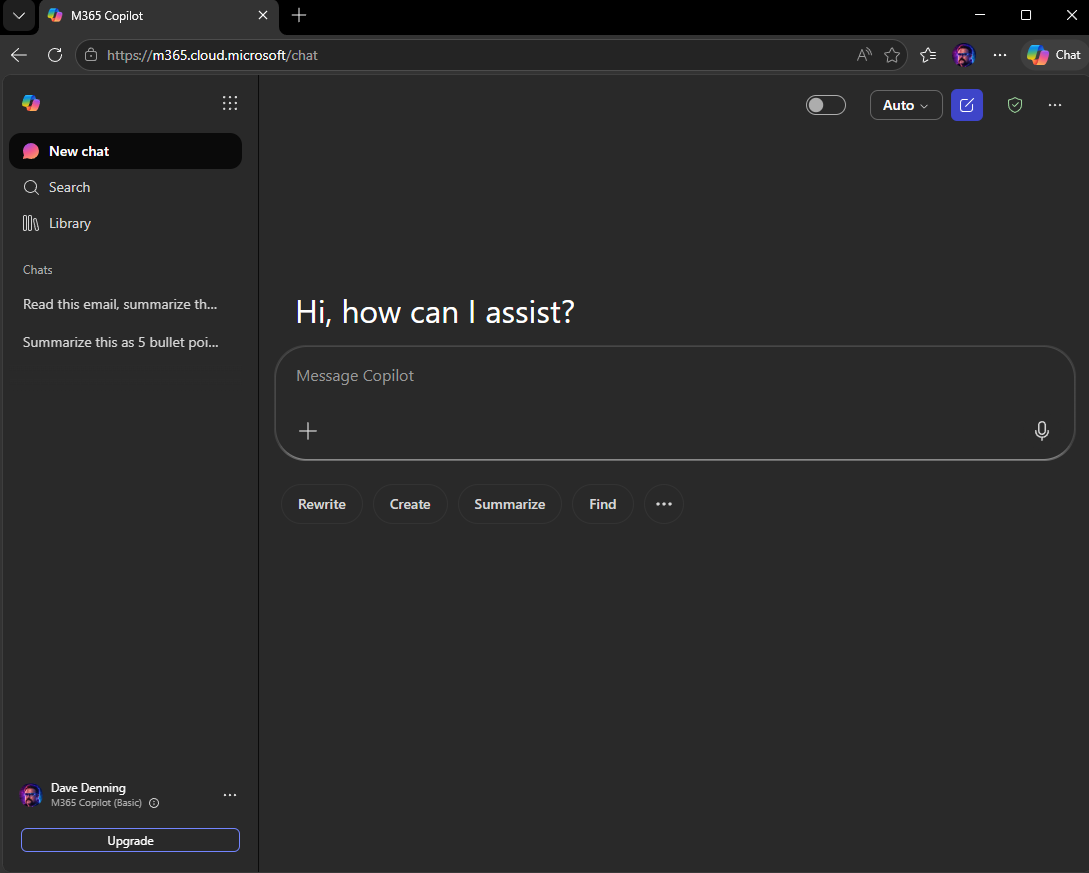
- Switch to the web apps and log in properly. Go to m365.cloud.microsoft, and use Microsoft Edge with a dedicated work profile so you are signed in everywhere and Microsoft 365 Copilot follows you across devices. The web versions are faster and receive new features months before the desktop apps, and Microsoft 365 Copilot reaches your cloud data natively there.
- Set custom instructions once. Tell Microsoft 365 Copilot your role and how you like to receive answers, for example concise, plain, and in the voice of someone who has done your job for years. From then on it sounds like you, not a generic assistant.
- Start with the two lowest-friction wins. Summarise-and-reply on a hard email, and ask a question across your own documents. These two alone change how a sceptical person feels within ten minutes.
- Be curious and read the pop-ups. The interface changes almost weekly. What did not work yesterday may work today, and the genuinely useful features tend to hide behind the very notifications most people dismiss on reflex. Click around. Take the minute to read the update.
- Speak to it, and expect 80%. Use your voice, because most people convey what they actually want more naturally out loud than in a typed prompt. Then treat the result as a confident first draft that gets you most of the way, with your judgment finishing the last stretch. This connects directly to training people on the platform before you hand them AI, which is where I always start.
Start where the friction is highest
If you want to make a believer out of one person, do not start with a clever demo. Start with the task they dread. The difficult email they have rewritten five times to get the tone right. The hour-long transcript they have to turn into minutes. The long report nobody wants to summarise. Those are the moments where the time saved is obvious and immediate, and where the relief is real.
It compounds from there. One person in the session had had her own breakthrough the week before, the moment she realised Microsoft 365 Copilot could build a presentation in ten minutes that used to take her the better part of a day. That is the pattern: a slow start, a few unconvincing attempts, and then a sudden jump to a new gear.
The honest truth I leave every team with is this. The way these tools work today is as bad as they are ever going to be, and they only get better from here. The cost of leaving Microsoft 365 Copilot unopened is not money, because you already pay for it. The cost is the afternoon a week your team keeps spending by hand, on exactly the work the tool was built to take away.
If your team already has Microsoft 365 Copilot and nobody is using it, that guided first hour is the whole unlock, and it is exactly the session I run. Book a Microsoft 365 Copilot session for your team.
Frequently Asked Questions
Yes. Microsoft 365 Copilot Chat is available at no additional cost for anyone with an eligible Microsoft 365 business subscription. There is no separate app to install and no extra licence to buy for the chat experience itself. You only start paying when an agent performs metered work on your behalf, which is billed separately. For the everyday tasks most teams need, the included Chat is already sitting in the apps you use, waiting to be opened.
Yes, and this is the part most people have backwards. Microsoft 365 Copilot Chat runs under Enterprise Data Protection, shown by a green shield in the interface. Your prompts, the responses, and the data it reads through Microsoft Graph are not used to train the underlying AI models, your content stays inside your organisation's Microsoft 365 boundary, and Microsoft 365 Copilot respects your existing permissions, sensitivity labels, and retention policies. A free consumer chatbot offers none of that. The governed tool you already own is the answer to the privacy worry, not the cause of it.
Almost always because the data is not where Microsoft 365 Copilot can reach it, or you were in the desktop app. Microsoft 365 Copilot works with content that lives in the cloud, in SharePoint or OneDrive, and the web versions of the apps are where it works best and gets new features first, often months ahead of the desktop versions. If your files sit only on your computer, move or sync them to OneDrive or SharePoint. If your team works off-grid in the field, keep synced offline copies for those situations.
Microsoft 365 Copilot Chat is the included version. It is secure, governed, grounded on the web, and great for chatting, summarising, and drafting. The paid Microsoft 365 Copilot adds work mode, which lets it reach across everything in your Microsoft 365 environment far more deeply, sits directly inside the body of Word, Outlook, and the other apps, and unlocks extras like your corporate brand kit and document templates. Most teams should master the included Chat first, then upgrade the people whose work clearly justifies it.
A guided first hour, not another licence. In my experience the unlock is three things: show people where it lives and that it is safe, set custom instructions once so it answers in their voice, and start them on a real task they already dread, like a difficult email or a long document to summarise. Training is the missing piece almost everywhere. Only about four in ten people who use AI at work have had any training from their employer, so the tool sits unopened not because it is hard, but because no one ever showed them the door.
Related Service
Deployment, training, and ongoing support to make your AI investments pay off.
Learn about Adoption and Training